Navigation for compatible motorcycle dashboards
Your iPhone's map, on your motorcycle display.
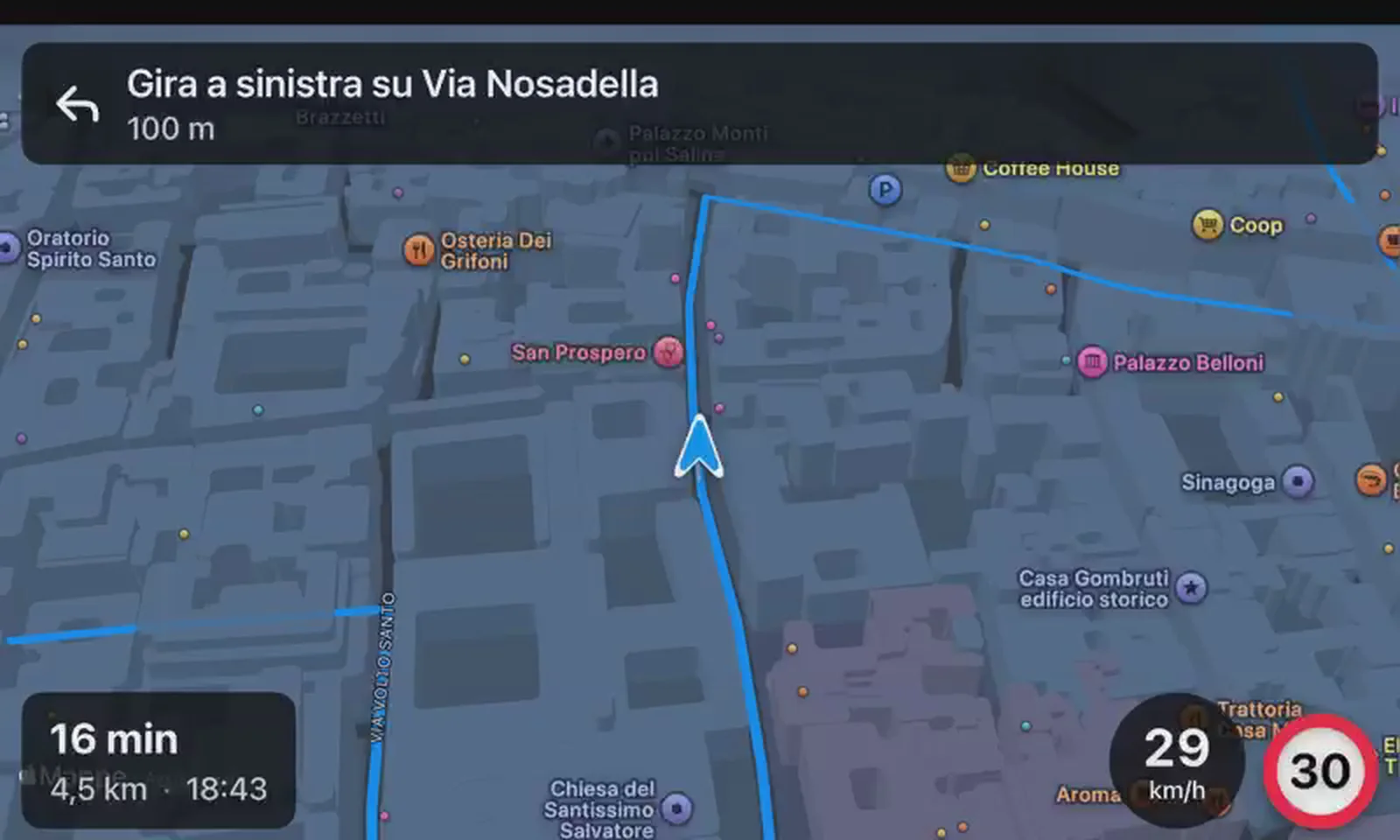
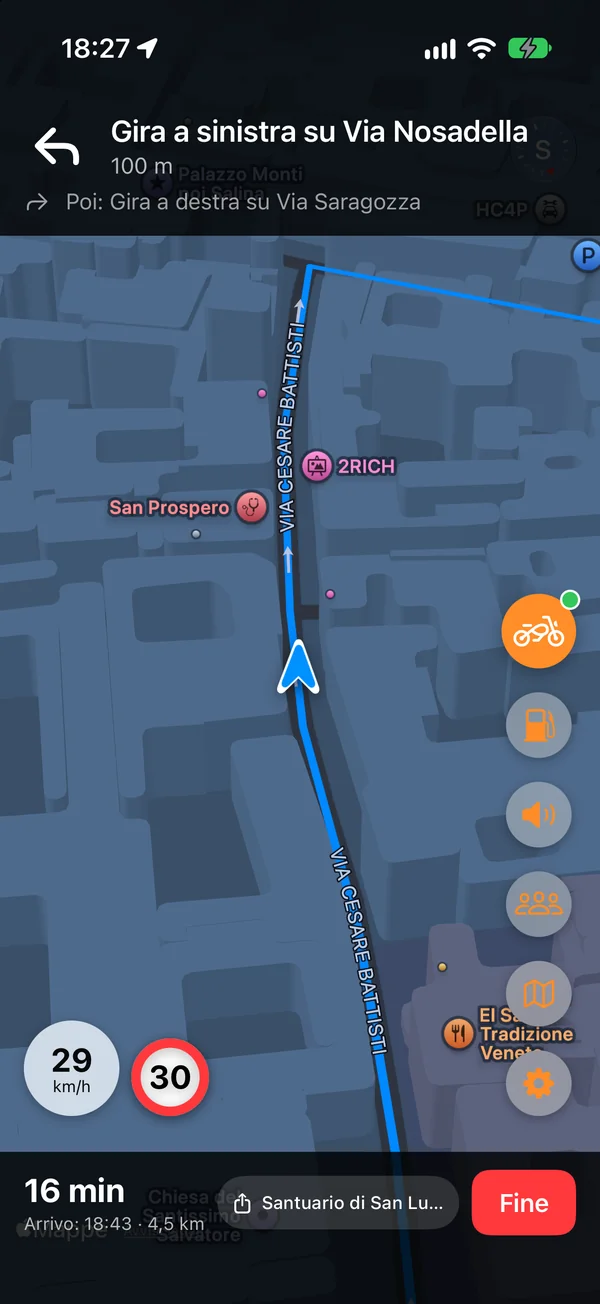
MotoLink links your iPhone to the dashboard over Wi-Fi and Bluetooth: map, turns and distance show up on the display, and the handlebar buttons control your music.
- Turn-by-turn, automatic rerouting
- Live group rides
- Music from the bike's buttons
How it works
Four steps, then just the road.
Setup happens once. From then on MotoLink connects by itself as soon as you switch the bike on.
- 01
Scan the dashboard QR code
The code shown on the display holds the connection details. You can also read it from a photo.
- 02
MotoLink connects
Over Bluetooth it switches on the dashboard Wi-Fi and the iPhone joins it by itself. iOS asks to confirm the first time.
- 03
Choose where to go
Search an address, a place or a category; add stops or import a GPX file. The map shows up on the display.
- 04
Ride
Turns and distances on the dashboard, voice in your headset, music from the handlebar buttons. The iPhone can stay in your pocket.
Features
Everything you need in the saddle, nothing more.
Navigation on Apple Maps, designed for riders: large information on the display, simple controls on the iPhone.
Turn-by-turn, on the dashboard
Next manoeuvre, distance measured along the road, expected arrival. Leave the route and MotoLink reroutes by itself; without network it keeps the route and tries again.
- Automatic rerouting
- Intermediate stops
- Avoid tolls and motorways
Music from the handlebar buttons
The bike's buttons control the music app you are playing: Spotify, Apple Music or others. No login, no account to link.
- Previous track
- Next track
- Play / pause
Voice guidance
Directions lower the music only for the length of the phrase.
Speed limits
The road's limit, from OpenStreetMap data.
Speed cameras
Visual and voice alert for fixed cameras ahead of you.
Ready without network
Limits and cameras downloaded along the route before you leave.
Search along the route
Fuel, cafés and stops near your way, in road order.
GPX import
Open a route from Files or another app and go.
Home and work
One tap to head home; share your arrival time.
Day and night
The map turns dark at sunset, on the iPhone and on the display.
Live Activity
Next turn on the Lock Screen and in the Dynamic Island.
Trip log
Every ride recorded, exportable as GPX.
Where I parked
If you stop and the link to the bike closes, the position stays saved.
Resume the route
If the app closes, it offers to carry on when reopened.
Group rides
The whole group on the map.
Create a group, share the code and see the others move in real time. If someone stops, one tap takes you there.
6-digit code
Whoever enters it joins the group, no sign-up needed.
Optional PIN
A 4-digit code to keep out anyone not invited.
Invite with a link
Send it in a chat: it opens straight in MotoLink.
Reach
Navigation to a fellow rider that updates if they move.
Your position is shared only while you are in a group, and only with its members.
Group code
482 913
Example code
Compatibility
Dashboards verified, one by one.
MotoLink is compatible with selected motorcycle head units using CarbitLink technology. Only the model and firmware we have actually tested are listed as verified.
Verified · April 2026
- Display
- BXDQ02 · model bxdq14
- Firmware
- SDK 0.9.15.1 · PXC 1.0.2
- Video
- H.264 · 800 × 480
What the iPhone needs
- iOS 26.2 or later
- Bluetooth and Location Services on
- iPhone paired with the bike's Bluetooth, for the music buttons
- Mobile data for maps, search and group rides
Behaviour may change with model, firmware, region and iOS version. Have a different dashboard? Write to us: you help grow the list.
Compatibility detailsFAQ
Before you ride.
Is MotoLink free?
Yes. The app is free and is supported by a few ads on the iPhone (on the standby screen and some menu screens), never on the motorcycle display. If you want to help there is the Donate button: it is optional and unlocks nothing.
Do I need the manufacturer's official app?
No. MotoLink connects directly to the dashboard. It does not replace the manufacturer's app and is not connected to it: it is an independent project.
Do I have to link Spotify or another account?
No. The bike's buttons reach the iPhone as standard Bluetooth commands and iOS sends them to the music app that is playing. The iPhone just needs to be paired with the bike and the music started.
Does it work without mobile data?
Partly. Maps, search and group rides need a network. Before you leave MotoLink downloads speed limits and cameras along the route; if the network drops during the ride it keeps the route and reroutes when it is back.
Does the iPhone have to stay on and unlocked?
The app has to stay open. While connected MotoLink prevents auto-lock; a dimmed standby screen saves battery. In your pocket or on a mount, either is fine.
Who sees my position?
Nobody, until you join a group ride: then it goes only to the other members of the group. For speed limits and cameras the app queries OpenStreetMap servers with the area you are in. Details are in the privacy policy.
Is my dashboard compatible?
Compatibility is verified only for the model and firmware listed on the Compatibility page. Other head units using CarbitLink technology might work, but it is not guaranteed: if you try a different one, tell us how it went.
Other products
Discover our other products
If you like MotoLink, you might like these too.
Spiaggiami
Sardinia's beaches, day by day
Every beach in Sardinia on one map, with an hourly score based on wind, waves and sea temperature: see at a glance where the sea is good today.